Gatehouse control: the guard scans and decides in seconds
The guard scans the credential and sees a single answer: approved or rejected, with the reason. No checking folders or calling the office.
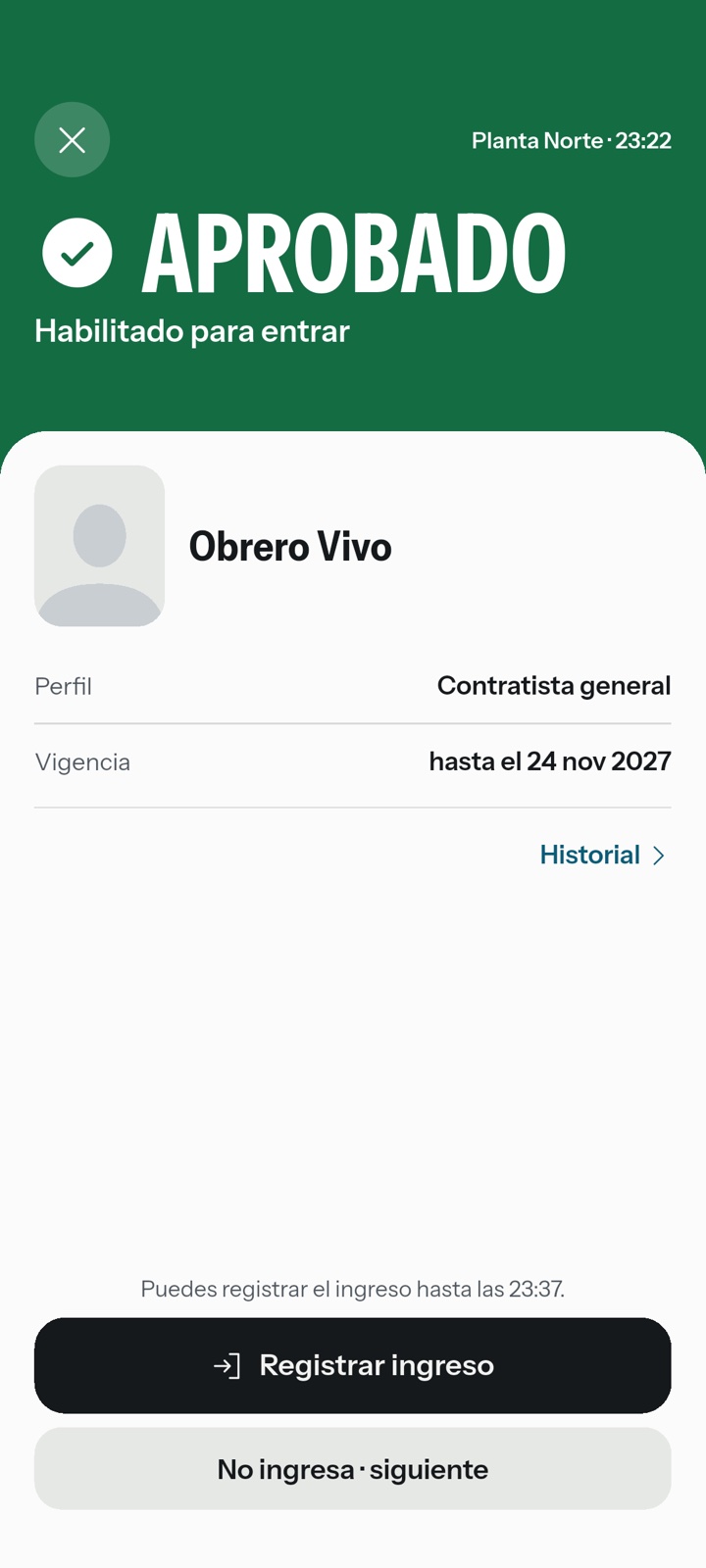
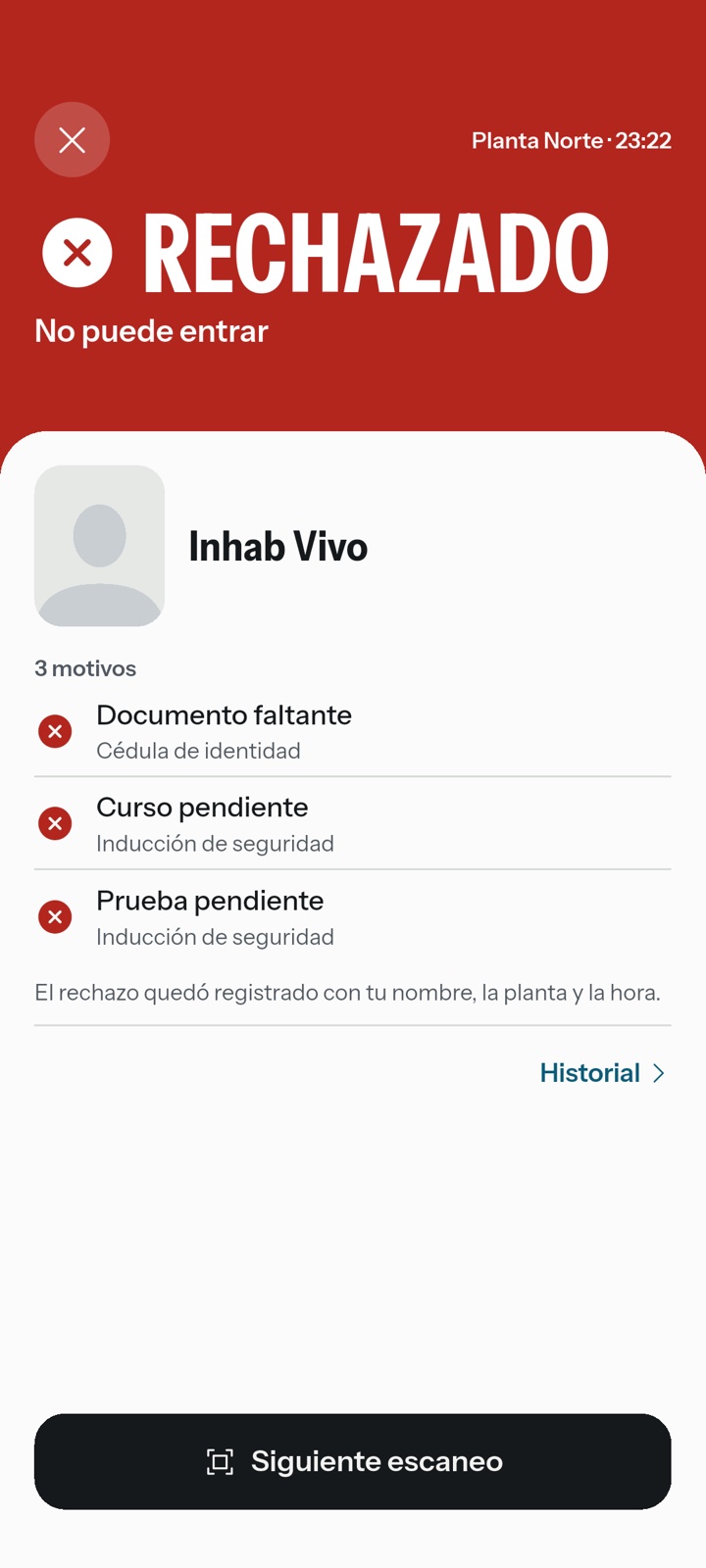
- One scanApproved in green or rejected in red.
- With the reasonMissing document, pending course, expired credential.
- Everything recordedEvery scan, entry and exit.
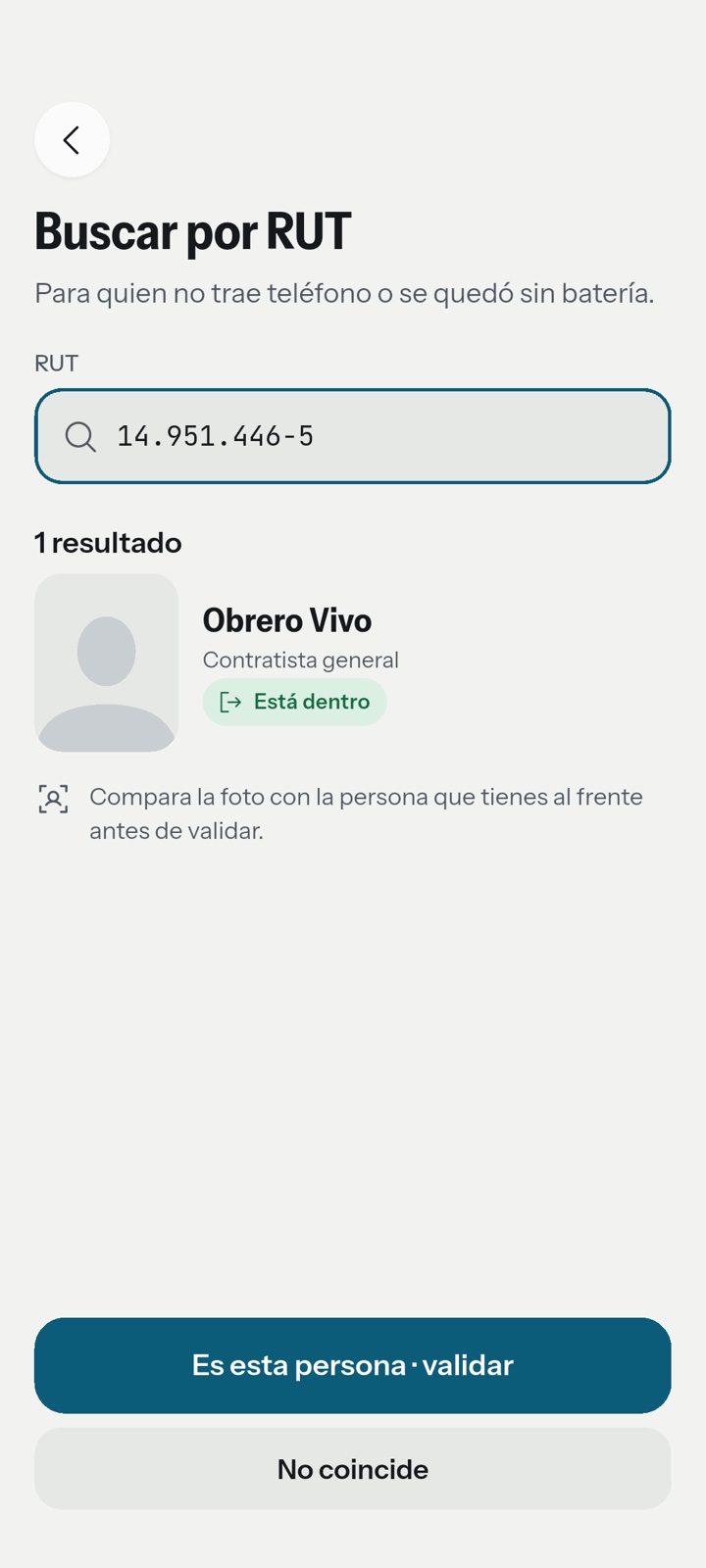
If the person has no phone, look them up by RUT
The guard types in the RUT, compares the photo with the person in front of them and validates.
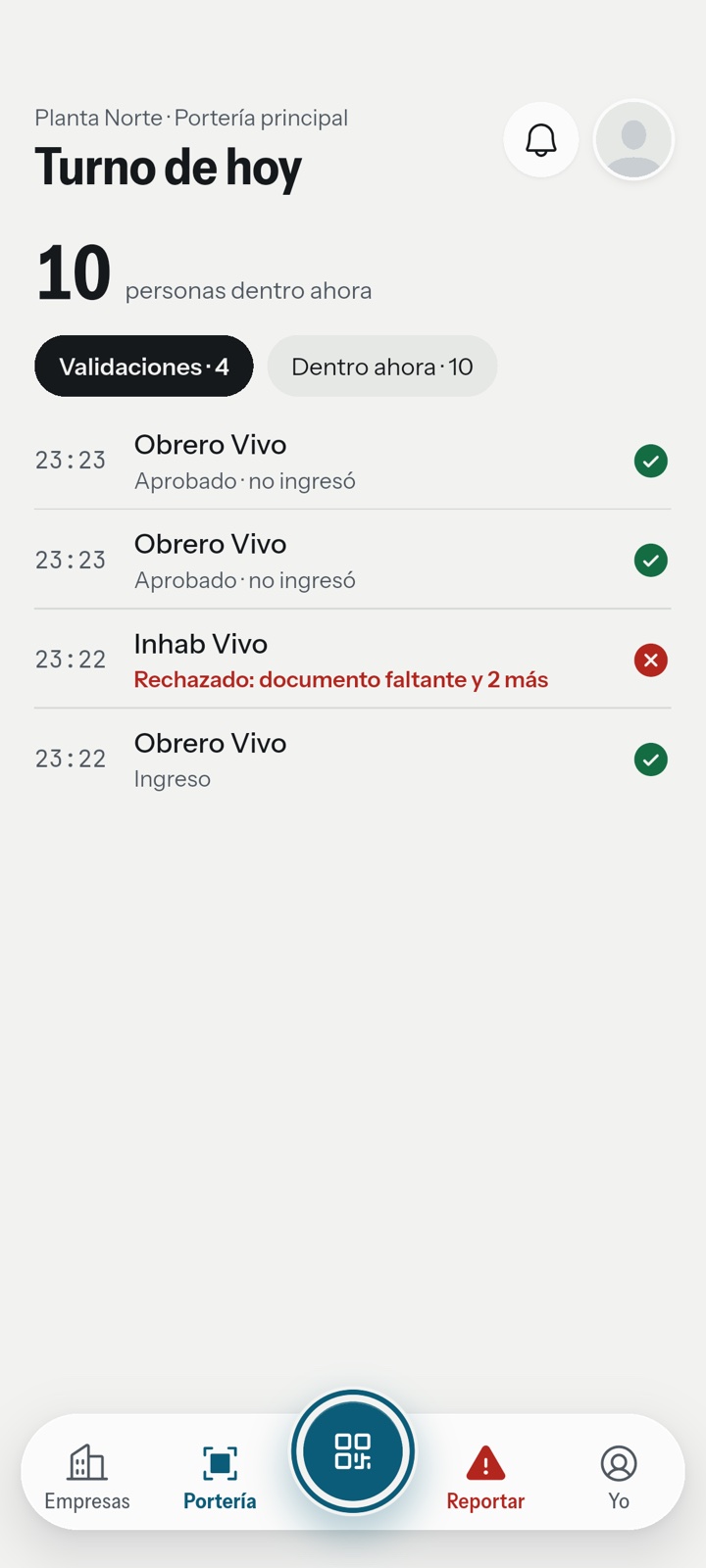
The shift, at a glance
The shift's validations and who is inside right now, on the same screen.
- Entry and exit log.
- Scan history for each person.
- Entry form, if your plant requires it.
Connects with what you already use
We can integrate with your turnstiles, your ERP and your payroll system, as long as they allow it. Tell us what you use and we'll review it with you.
Related questions
Does it work offline at the gatehouse?
No. Validation is always online so it shows the real status. Without a connection, the company's contingency procedure applies.
Does it integrate with turnstiles, ERP or payroll systems?
We can integrate with your ERP, your payroll system and your turnstiles, as long as they allow it. Tell us what you use and we'll review it with you.
What if a person works at several plants or companies?
They use the same account. They have one credential per company and can reuse their valid documents; each company keeps its own requirements.
See Pase360 in your plant
Tell us how many plants you have and we'll show you how it would work.
Request a demo14-day free trial after the demo · soporte@pase360.cl