Dashboards to know how your plants are doing today
Indicators for credentials, documents, training and access, by plant and by contractor, with export. This is what the Pase360 panel looks like.
- The urgent, on topWhat is expiring and what is waiting for your team.
- By plant and by contractorWhere the delay is, without building spreadsheets.
- CSV exportFor your monthly report or an audit.
The urgent, on top
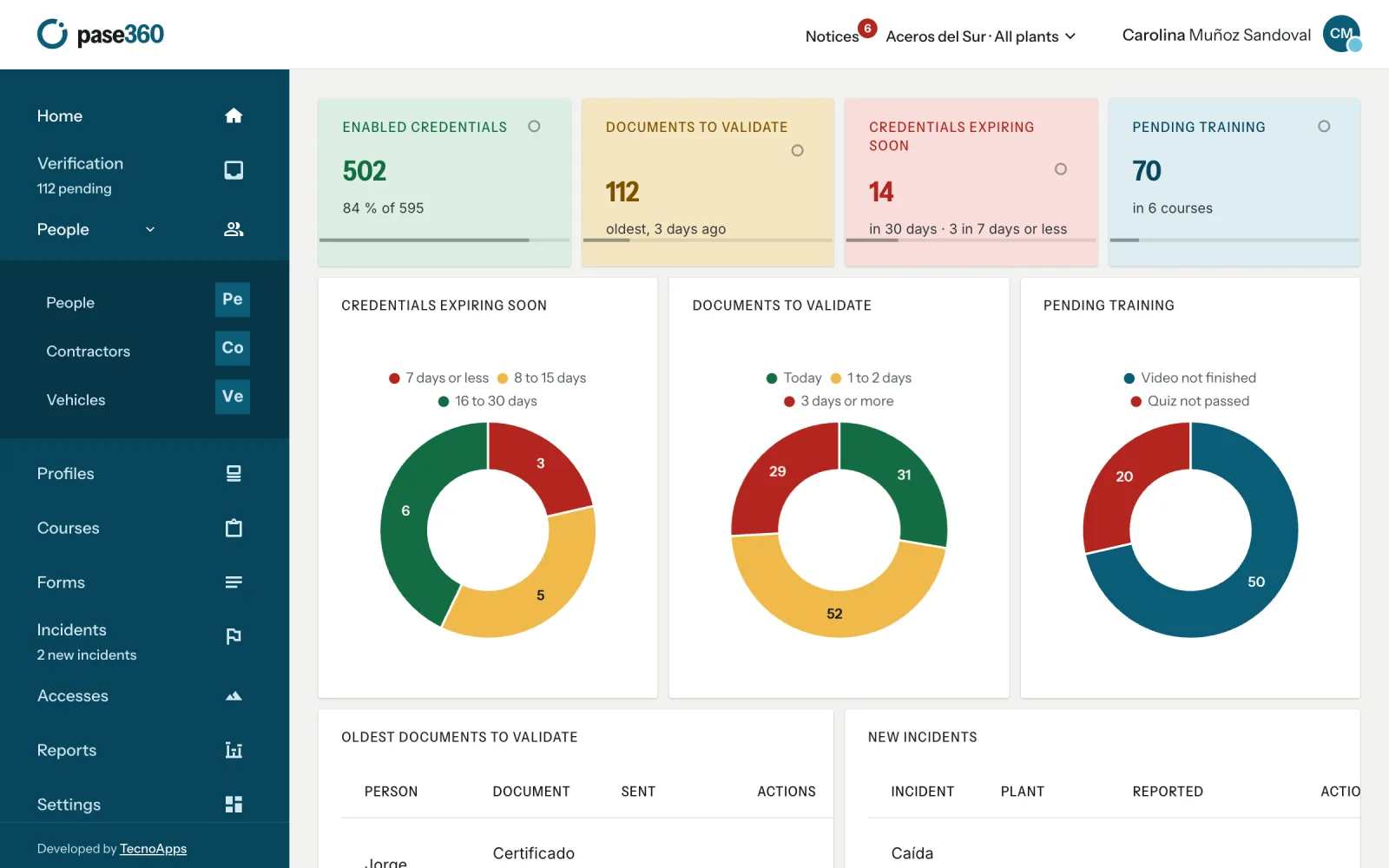
Four indicators, by company or by plant: authorized credentials, documents to validate, credentials about to expire and pending training. And three rings that tell you where to look first.
- By company or by plant.
- One click takes you to what needs resolving.
- Updates when you log in.
- Authorized credentialsWhat percentage of the total can enter today.
- Documents to validateHow many are waiting for your team and how long the oldest has waited.
- Credentials about to expireIn the next 30 days, and how many in the next 7.
- Pending trainingWho hasn't finished the video or hasn't passed the quiz.
Three rings break it down: credentials about to expire by range of days, documents to validate by age and pending training by reason. Below, the two action tables: the oldest documents to validate and the new incidents.
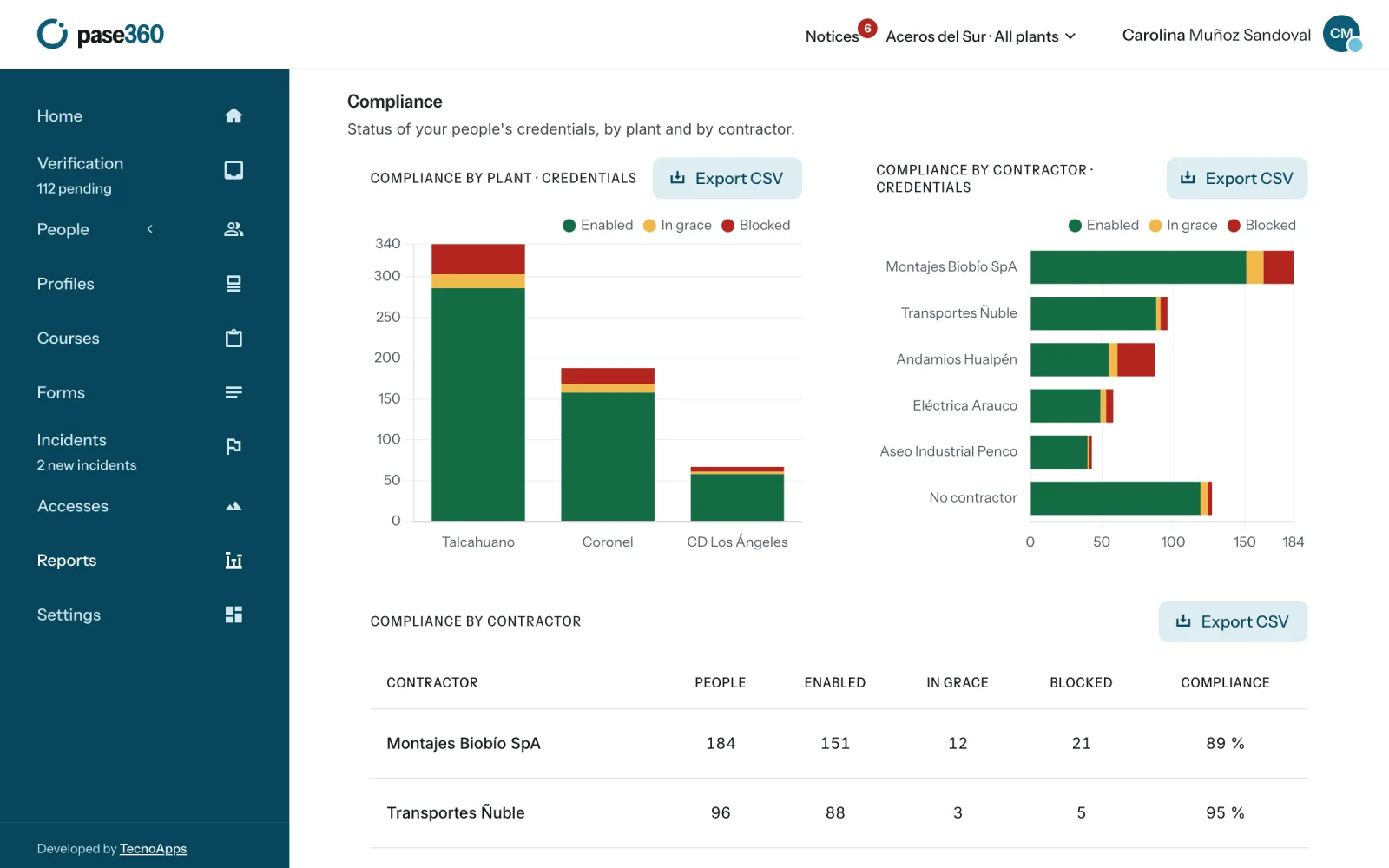
Compliance by plant and by contractor
You see which contractor has their people authorized, in grace period or blocked, and which one is below 75 %.
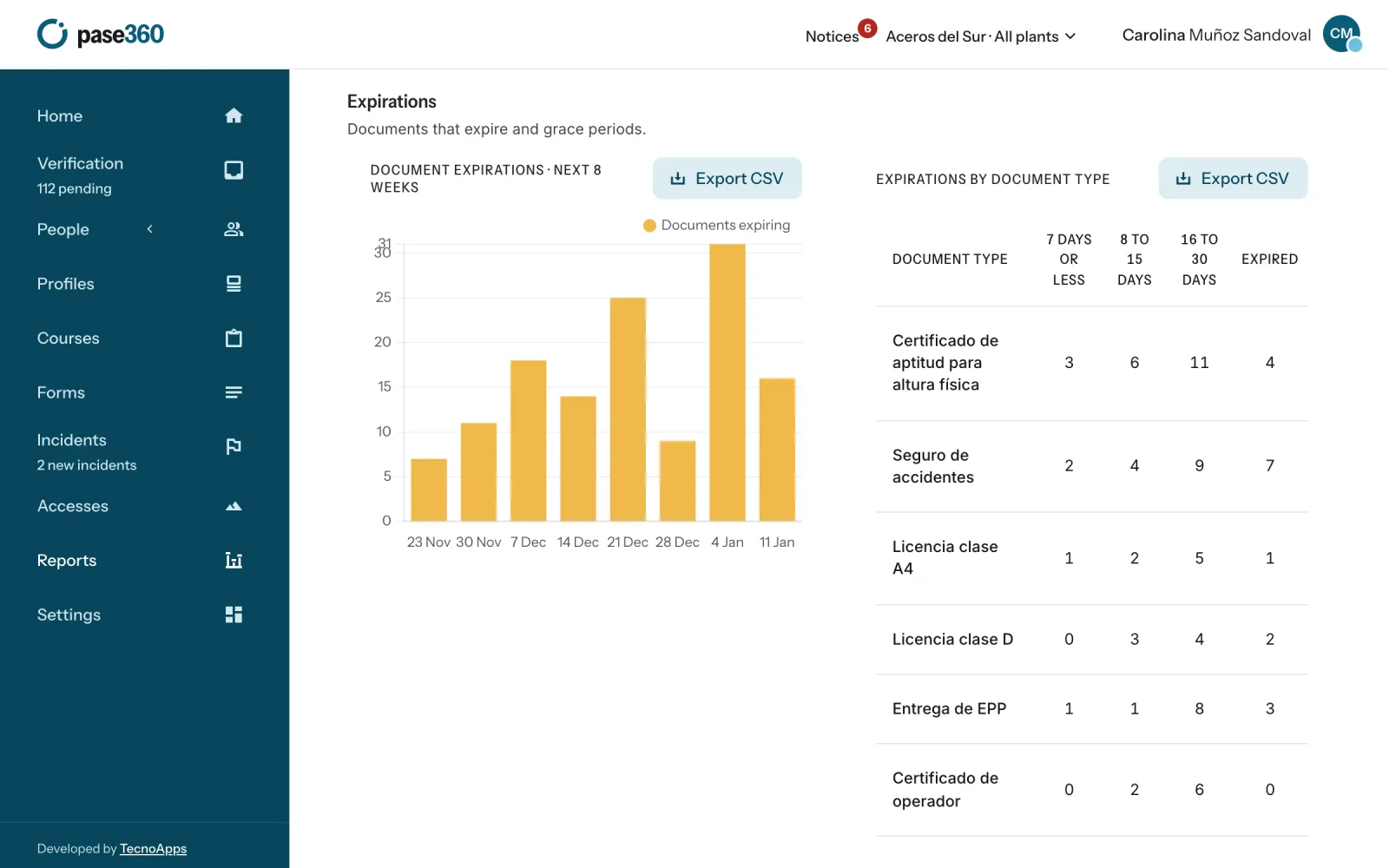
Expiries before they become a problem
The documents expiring in the next 8 weeks, by document type.
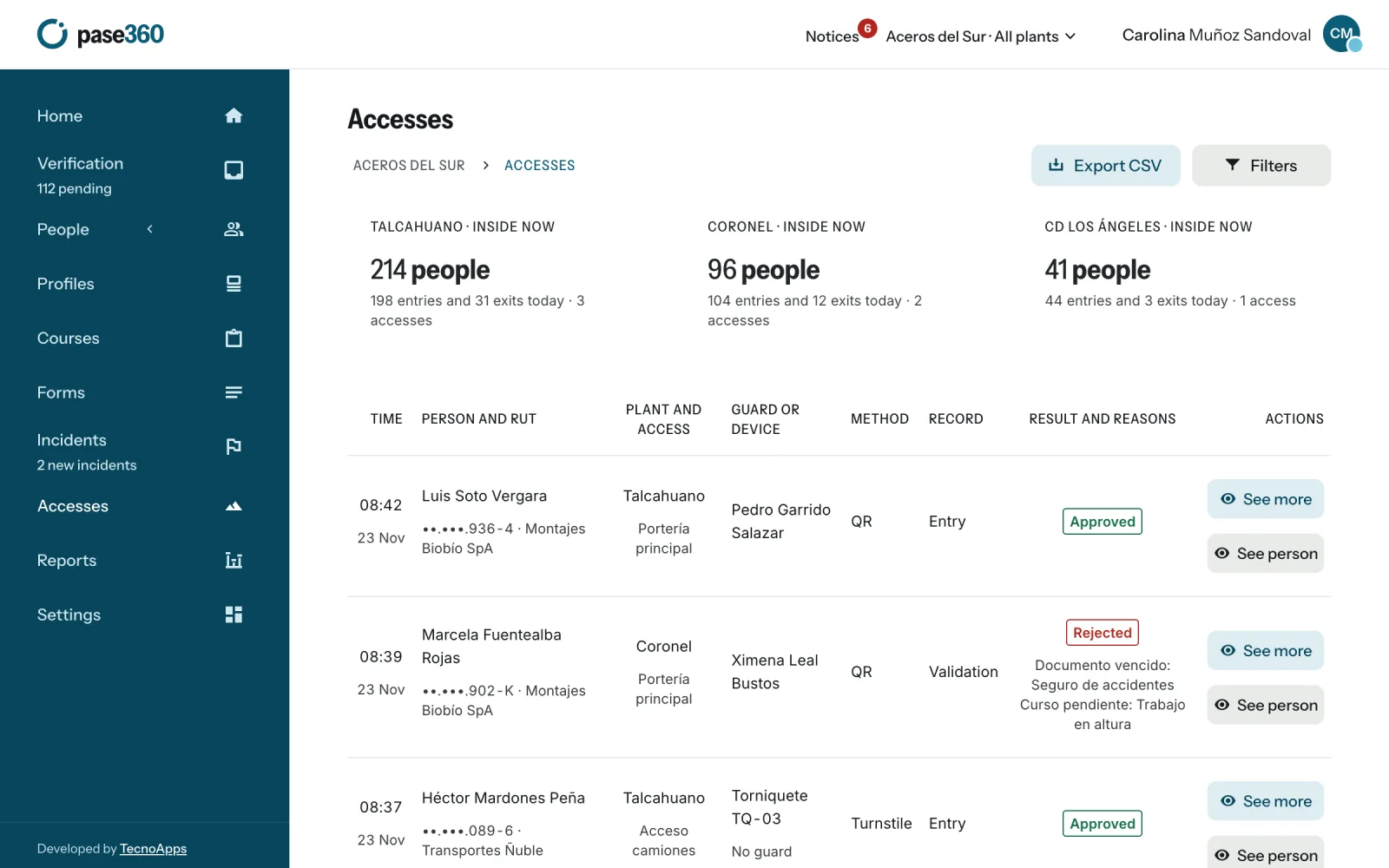
Who entered, who didn't and why
People inside now, entries and rejections per day, with the reason. The log cannot be edited or deleted.
Everything exports to CSV
For your monthly report or an audit.
The home dashboard comes with every plan. Reports with export, from Professional. See pricing
See Pase360 in your plant
Tell us how many plants you have and we'll show you how it would work.
Request a demo14-day free trial after the demo · soporte@pase360.cl